
Step 1. Sign up for Anthropic or Sign In
To begin, sign up or log in at: https://console.anthropic.com/

Once you're in the Anthropic Console:
Step 2. Select API Keys in the lefthand navigation
Click your API Keys link the left column at the bottom of the page. This is where you'll generate your API Keys.

Step 3. Click Create API Key
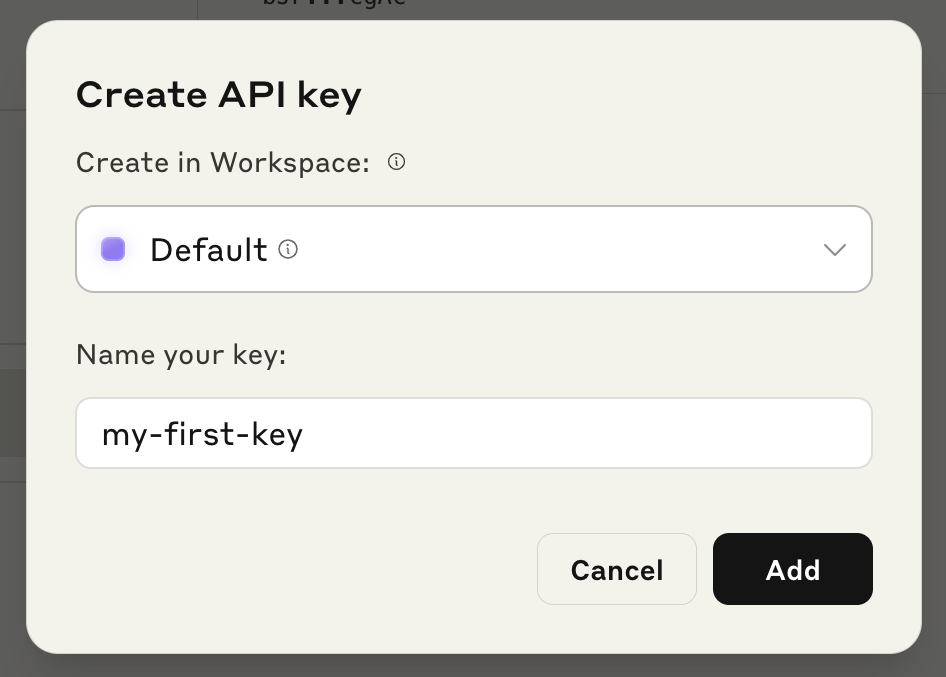
On the API Keys page, click Create API Key. Pick a new name for your key then click the Add button:
Step 4. Copy and store your Claude API Key
Finally, copy and store your new Claude API key securely. Use this key to integrate Claude into your chatbots, web apps, or internal tools.
Comments
0 comments
Please sign in to leave a comment.