
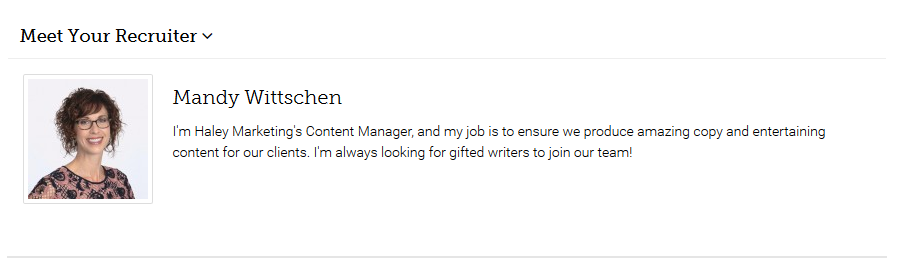
The Haley Marketing Career Portal allows you to display a Recruiter Bio on the job description page. The Bio includes an image and a short description of the recruiter who "owns" the job.
Enabling / Disabling Recruiter Bios
You can enable/disable recruiter Bios from showing by logging into myHaley.haleymarketing.com and navigating to Career Portal>Settings>Searching. Check the "Display Recruiter Bios?" checkbox to display the bios.
Changing the label from "Meet Your Recruiter"
Don't like how "Meet Your Recruiter sounds? Change the label in the section above in myHaley called "Recruiter Label".
Questions about updating the recruiter/user bio? Check out our new landing page feature and instructions: https://helpme.haleymarketing.com/hc/en-us/articles/26847888537620-Career-Portal-Recruiter-Bio-Landing-Page-Feature
PLEASE NOTE: if you are using a 3rd party integration to feed jobs to your Haley Marketing Career Portal, and a recruiter is not assigned to each job, the recruiter bio will not display.
Comments
0 comments
Article is closed for comments.